Build and Conquer Controller Support: Can You Play with a Gamepad?
Find out whether Build and Conquer supports controllers on Roblox, including gamepad compatibility and how to use one if supported.
- Does Build and Conquer support controllers or gamepads?
- What does the official game page say about platforms and input?
- How does Roblox usually handle controller input?
- What does this mean for playing Build and Conquer with a gamepad?
- What are the alternatives if controller support is not available?
- Related guides
Does Build and Conquer support controllers or gamepads?
Build and Conquer does not officially list controller or gamepad support. The official game page does not say which devices this experience supports, and its description mentions nothing about gamepad input. So controller support is not officially confirmed, and the game page does not announce it either.
What does the official game page say about platforms and input?
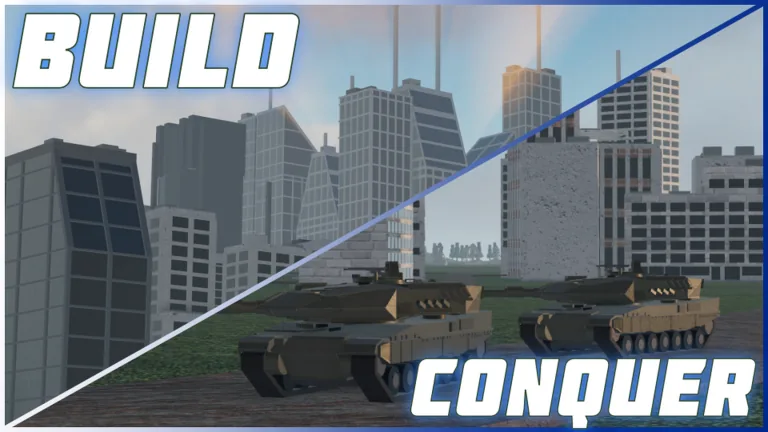
Very little. The page states that the game is still in its BETA version and warns players to expect bugs and constant updates. It describes building a country from an empty plot, managing money, workers, population, resources, happiness, power, research, production and city expansion, and later researching technology, manufacturing vehicles and missiles, deploying troops through tunnels, forming alliances and fighting other nations.
None of that description mentions controllers, gamepads or specific supported devices. The game page simply does not answer the question, and no official post is listed that changes this.
How does Roblox usually handle controller input?
Roblox as a platform runs on Windows, Mac, iOS, Android, Xbox and PlayStation. However, whether a specific experience accepts a gamepad depends on how its developer set up controls. That is decided per experience, and an experience can vary in how fully it maps inputs to a controller. Because Build and Conquer's page does not say which devices it supports, there is no official statement that the experience is configured for gamepad play.
What does this mean for playing Build and Conquer with a gamepad?
It means you should not assume it works. Strategy games often rely on menus, placement and clicking through interfaces, and the game page gives no confirmation that these have been mapped for a controller. Roblox experience pages do not carry a platform rating of the kind found on storefronts, so there is no official label to check.
If you want to try a gamepad, treat it as an experiment rather than a supported setup: connect the controller, open Build and Conquer on a supported platform, and see whether the controls respond. If they do not, that is expected given the lack of any official statement.
What are the alternatives if controller support is not available?
Use the standard input for the device you are on: a keyboard and mouse on PC, or touch controls on mobile. The game page itself does not list recommended controls, so there is no official guidance beyond that.
Because the description stresses constant updates during beta, control options could change later. The safest way to check is to revisit the game page and the creator group's announcements for any future note about controller or device support. Until such a note appears, gamepad support remains undocumented.
Related guides
Related Guides
How to Join Build and Conquer and What It Costs
Build and Conquer is free to play on Roblox. Here is how to find the game page, join a server and start your first country at no cost.
Build and Conquer Multiplayer and Server Size
How many players can join a Build and Conquer server, and can you play with friends? The multiplayer basics for this Roblox strategy game.
What Devices Can You Play Build and Conquer On?
Can you play Build and Conquer on Xbox, PlayStation, mobile or PC? Here is what is known about supported Roblox devices.